|  | | Accounts are free. Join #retro on irc.fxnet.org, identify with NickServ and type !req. |
| |
|
|  | | |
| | #retro on irc.fxnet.org
6697 ssl · 6667 plain
modern + vintage clients welcome |
| |
|
| | | |
| | 3 people in #retro
okawari, synmuffin, thelounge76
nobody on the FTP
last upload: Archived Windows 3.0 - 11 ISO B... by archiveorg, 35d ago |
| as of 21:42 EST ·  |
|
|
| | | |
| | | releases | 2,186 | | last 24h | +0 | | online | 1.7 TB | | library | 1.4 TB | | members | 1 | | updated | 2026-11-18 21:42 |
|
|
|
| | | |
| |
| | 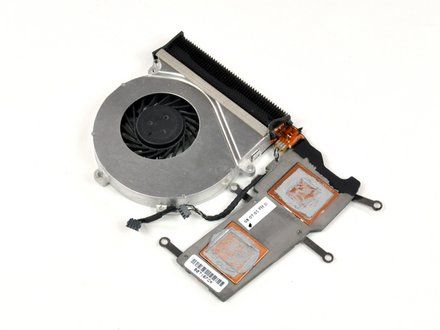
• CAUTION: Thermal paste is responsible for conducting heat from the processor to the heat sink. Reassembling a computer without applying thermal paste will cause the processor to overheat, resulting in permanent damage.
• NOTE: Before applying a new layer of thermal paste, you must first remove any old thermal paste from both the processor surface and the heat sink.
|
|
|
| | | |
| | 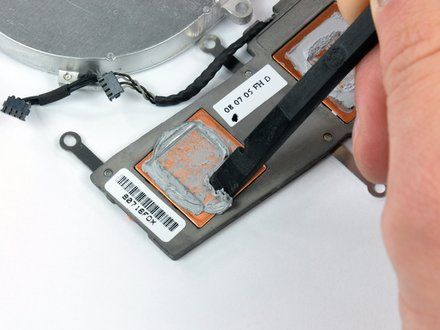
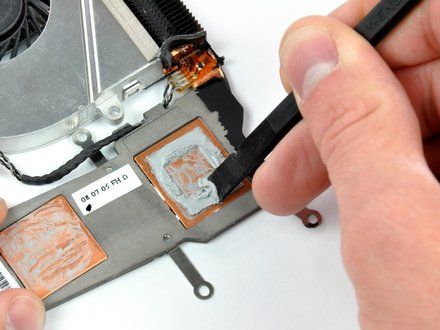
• Use the flat end of a spudger to scrape off as much solidified thermal paste from the copper core(s) of the heat sink as possible.
|
|
|
| | | |
| | 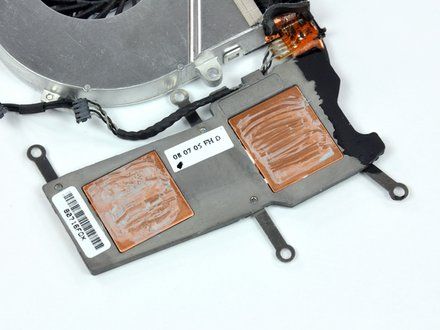
• NOTE: After scraping off the solidified thermal paste, a residue is still present on the copper core(s).
|
|
|
| | | |
| | 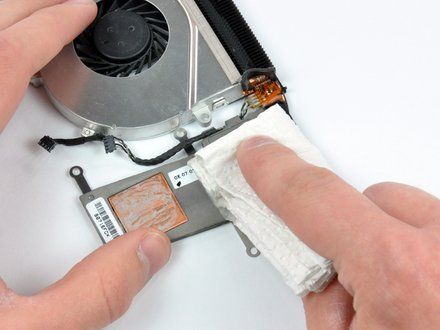
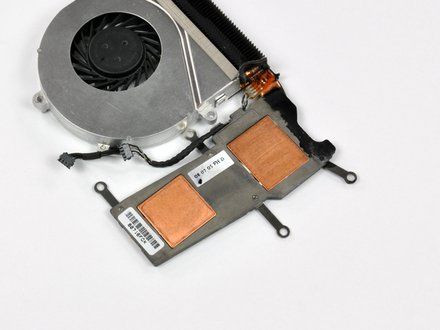
• Use a coffee filter or a lint-free cloth and a little isopropyl alcohol (a.k.a. IPA, 90% concentration or greater) to clean the thermal paste residue off the thermal contact surface of your heat sink.
• NOTE: Instead of IPA, you may also use a dedicated cleaning agent, such as ArctiClean Thermal Material Remover.
• Once the surface is clean, use a fresh piece of coffee filter or cloth and a little more IPA to remove any oils and prepare the surface.
• Do not touch either the chip or the heatsink, or allow any dust or debris to get on them. Even a fingerprint can be a major obstacle to thermal transfer on a chip.
• Allow the heat sink(s) to dry completely!
|
|
|
| | | |
| | 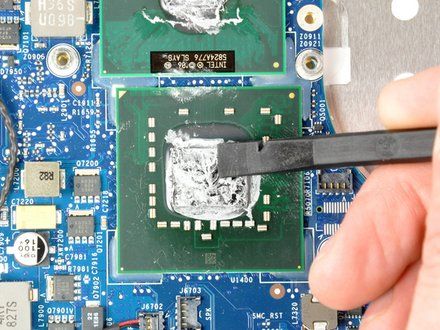
• Use the flat end of a plastic spudger to remove any solidified thermal paste from the surface of the processor(s).
• CAUTION: Do not use any metal objects for this procedure. Be careful not to break any components on the processor's surface, or get any thermal compound loose on any components (conductive pastes could cause problems).
|
|
|
| | | |
| | 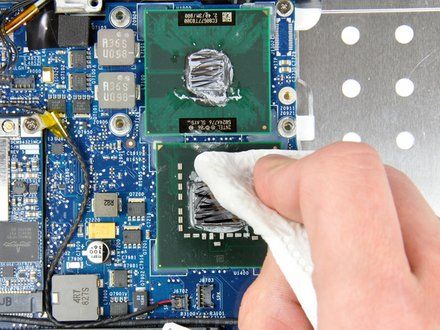
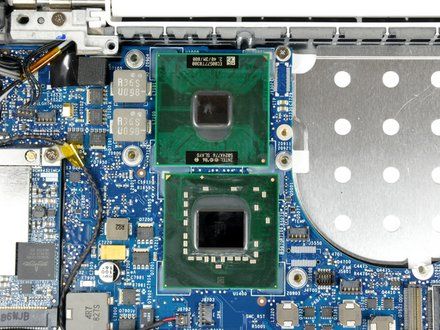
• Again, use a coffee filter or lint-free cloth and a little IPA or ArctiClean Thermal Material Remover to clean any thermal paste residue off the processor surface.
• Use a fresh piece of coffee filter or cloth and some IPA to remove any remaining oils and prepare the surface.
• Allow the processor(s) to dry completely!
|
|
|
| | | |
| | 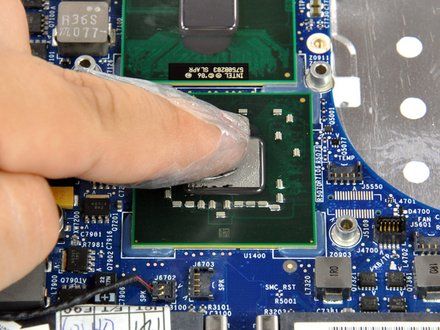
• To apply new thermal paste, use the application method recommended for your specific processor type (http://www.arcticsilver.com/methods.html)--vertical line, horizontal line, middle dot, or surface spread. Note that surface spread has the potential to trap air bubbles.
• If you're using the surface spread method:
• Wrap the tip of your index finger with a piece of plastic (such as a sandwich bag or Saran wrap).
• Dispense a very small amount of thermal paste onto processor core(s).
• Use your finger to gently smear the thermal paste over the entire processor core(s).
• NOTE: If you accidentally apply a small amount of thermal paste on the green surface of the processor, it will not cause any harm.
• The processor(s) is now ready for heat sink installation.
• NOTE: You do not need to apply any thermal paste on the heat sink(s), although Arctic Silver gives instructions (http://www.arcticsilver.com/methods.html) on "tinting" the heat sink to reduce the break-in time of the thermal compound.
|
|
|
| | | |
| | | To reassemble your device, follow your device's disassembly instructions in reverse order. |
|
|
| | | |
|


















