|  | | Accounts are free. Join #retro on irc.fxnet.org, identify with NickServ and type !req. |
| |
|
|  | | |
| | #retro on irc.fxnet.org
6697 ssl · 6667 plain
modern + vintage clients welcome |
| |
|
| | | |
| | 3 people in #retro
okawari, synmuffin, thelounge76
nobody on the FTP
last upload: Archived Windows 3.0 - 11 ISO B... by archiveorg, 35d ago |
| as of 21:42 EST ·  |
|
|
| | | |
| | | releases | 2,186 | | last 24h | +0 | | online | 1.7 TB | | library | 1.4 TB | | members | 1 | | updated | 2026-11-18 21:42 |
|
|
|
| | | |
| |
| | 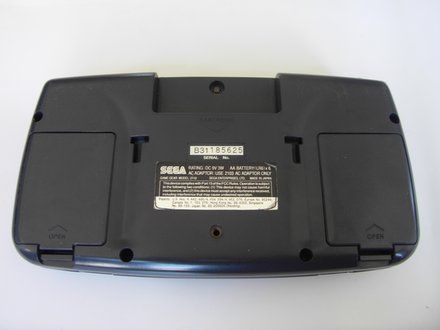
• Place your device upside down and locate the two battery compartments.
|
|
|
| | | |
| | 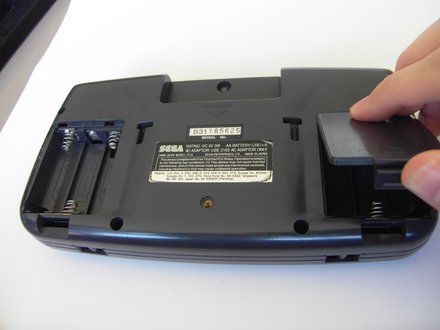
• Press on the tabs at the bottom of the battery covers then lift up to remove.
• Remove batteries if they are present.
|
|
|
| | | |
| | 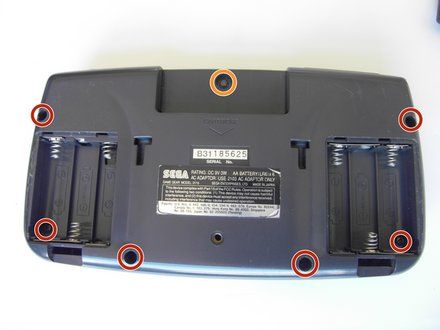
• Remove the following screws:
• Six Phillips screws
• One 4.5 mm Gamebit screw
|
|
|
| | | |
| | 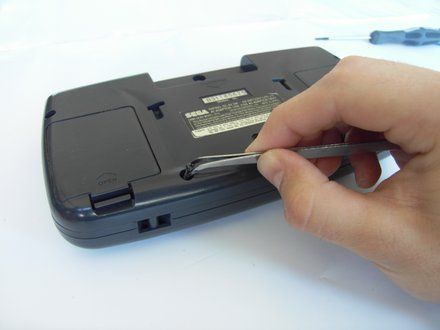
• Use tweezers (https://www.ifixit.com/en-ca/products/tweezers) to take all other screws out.
|
|
|
| | | |
| | 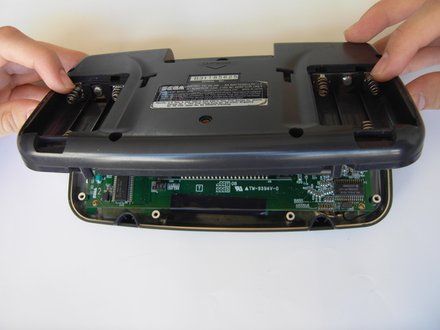
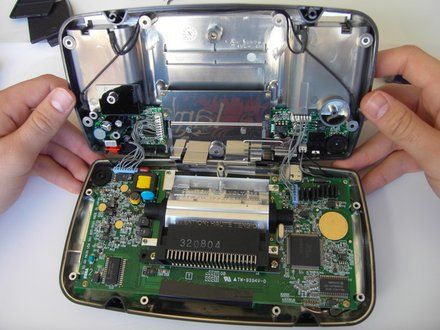
• Gently open the case by unfolding it over the top of the Sega Game Gear.
• CAUTION: Do not pull the back of the case away, as cables are connected between both sides.
|
|
|
| | | |
| | 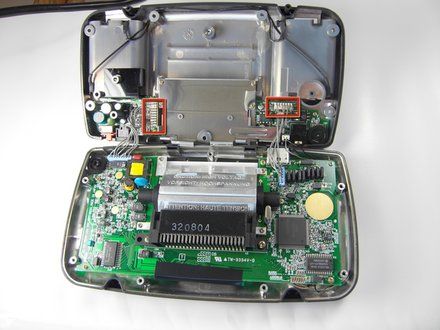
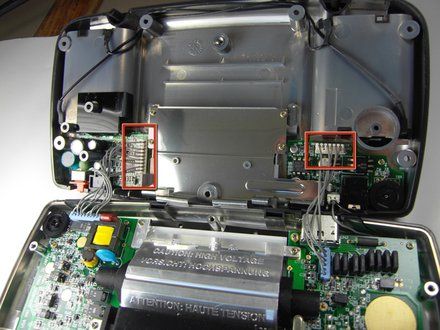
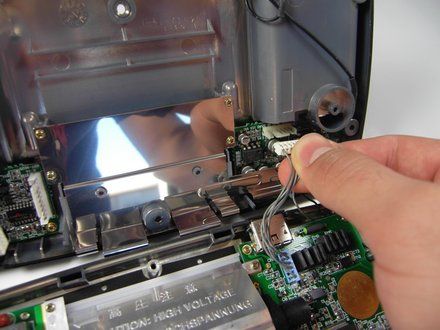
• Carefully unplug the 2 white-tipped connectors on the top cover.
|
|
|
| | | |
| | | To reassemble your device, follow these instructions in reverse order. |
|
|
| | | |
|

















